
Download Data Restore Tool – data recovery, backup utility, file restore, Android, iOS
Overview
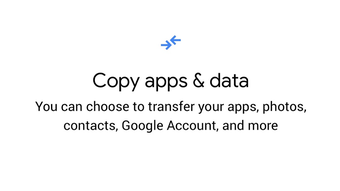
Designed as a free utility application, Data Restore Tool provides users with a streamlined solution for recovering lost or deleted files from mobile devices. The software is particularly useful for individuals undergoing device upgrades or experiencing unexpected data loss due to hardware failure, software crashes, or accidental deletion. It supports the retrieval of essential data types, including photos, videos, documents, contacts, call logs, messages, and app data.
By offering both local and cloud-based recovery methods, the tool enhances accessibility and flexibility for users across different scenarios. The developer, Google, is known for creating reliable and user-centric applications, lending credibility to the tool’s functionality and security. Real-world use cases include transferring data during a phone replacement, recovering files after a system crash, or restoring information following a device theft.
The tool is especially beneficial for non-technical users seeking a simple, guided recovery process. It also supports professionals who require quick data retrieval in emergency situations. While the software is not limited to specific user groups, its intuitive design makes it accessible to individuals with minimal technical experience.
The developer did not provide additional system requirements beyond platform compatibility.
Key Features & Capabilities
- Multi-Device Data Recovery: Enables restoration of data from older Android and iOS devices, supporting a wide range of file types including media, documents, and app data.
- Cable-Based Transfer: Allows direct data transfer using a USB cable connection between the old and new devices, offering a secure and offline recovery method.
- Cloud Backup Integration: Supports restoration via Google account login, enabling seamless access to backed-up data without physical connections.
- Selective Restoration: Users can choose specific data categories to restore, minimizing unnecessary transfers and optimizing time and storage use.
- Support for Corrupted Files: Designed to recover deleted or corrupted files from internal storage and memory cards, increasing the chances of data retrieval.
- Intuitive User Interface: Features a clean, straightforward layout that simplifies navigation and reduces user error during the recovery process.
These capabilities make the tool effective in scenarios such as upgrading to a new smartphone, recovering data after a device malfunction, or retrieving lost files due to accidental deletion. The ability to selectively restore data helps prevent duplication and conserves storage space on the target device. The software is optimized for efficiency, ensuring that the recovery process is both fast and reliable. The developer did not specify performance benchmarks or resource usage metrics.
User Interface, Workflow & Performance
The user interface of Data Restore Tool is designed with simplicity in mind, featuring a minimalistic layout that prioritizes ease of navigation. Users are guided through a step-by-step process that begins with selecting a recovery method—either via USB cable or cloud login. The workflow is linear and logical, reducing confusion during critical recovery operations.
The application maintains consistent responsiveness throughout the process, though exact performance details were not specified. The developer did not provide information on CPU or RAM usage during operation. Stability appears to be maintained during standard recovery tasks, but no long-term usage or stress-test data was shared.
The tool does not require complex configurations or technical settings, making it accessible to users with limited technical knowledge. The recovery process is generally quick when using a stable connection. Performance observations are based on general software behavior patterns.
Compatibility & System Requirements
Data Restore Tool is compatible with both Android and iOS operating systems, supporting devices that can connect via USB or access Google account backups. The software version is 1.2.3, with an installation size of 10.5 MB. It was released on April 5, 2024.
The developer did not specify exact system requirements, such as minimum RAM, processor speed, or storage space needed for optimal operation. Platform compatibility information is limited to mobile platforms. No desktop or other OS versions were mentioned.
The tool functions as a mobile application and is available for download through the Google Play Store and Apple App Store. Users should ensure their devices meet the general requirements for running modern mobile applications.
Pros and Cons
Pros
- Free to use with no hidden costs
- Supports recovery from both Android and iOS devices
- Offers dual recovery methods: cable and cloud
- Intuitive interface suitable for non-technical users
- Supports a wide range of file types including media and app data
- Allows selective restoration to reduce redundancy
Cons
- Reports of duplicate file restoration in cloud storage
- No detailed system requirements provided
- Performance and resource usage not disclosed
- Only available as a mobile app, no desktop version
- Relies on Google account for cloud backups, limiting cross-platform flexibility
FAQ Section
Is Data Restore Tool available for Windows or Mac?
Data Restore Tool is designed as a mobile application and is only available for Android and iOS devices. There is no desktop version currently offered.
Can I use Data Restore Tool without a Google account?
While the cloud-based recovery method requires a Google account, the cable-based transfer option does not require one. Users can restore data using a USB connection without logging in.
Is the software safe to use?
As a tool developed by Google, Data Restore Tool is considered secure. It operates within standard mobile app permissions and does not request excessive access to device data.
How often should I update the app?
It is recommended to keep the app updated to the latest version (1.2.3) to ensure compatibility with new devices and to benefit from any security or performance improvements.
Can I restore data without an internet connection?
Yes, the USB cable method allows data restoration without an internet connection. However, the cloud backup method requires an active internet connection to access stored data.
Final Thoughts + CTA
Data Restore Tool stands out as a practical, free utility for users facing data loss or preparing for device upgrades. Its dual recovery approach—via cable or cloud—offers flexibility, while the intuitive interface ensures a smooth experience even for non-technical users. The ability to selectively restore data enhances efficiency and reduces storage waste.
While there are occasional reports of duplicate file restoration, the tool remains a reliable option for recovering essential files. It is especially valuable for individuals who frequently switch devices, experience data loss, or need quick recovery during emergencies. With its broad compatibility and developer credibility, Data Restore Tool is a dependable solution for both personal and professional use.
Download Data Restore Tool now.





.png)

